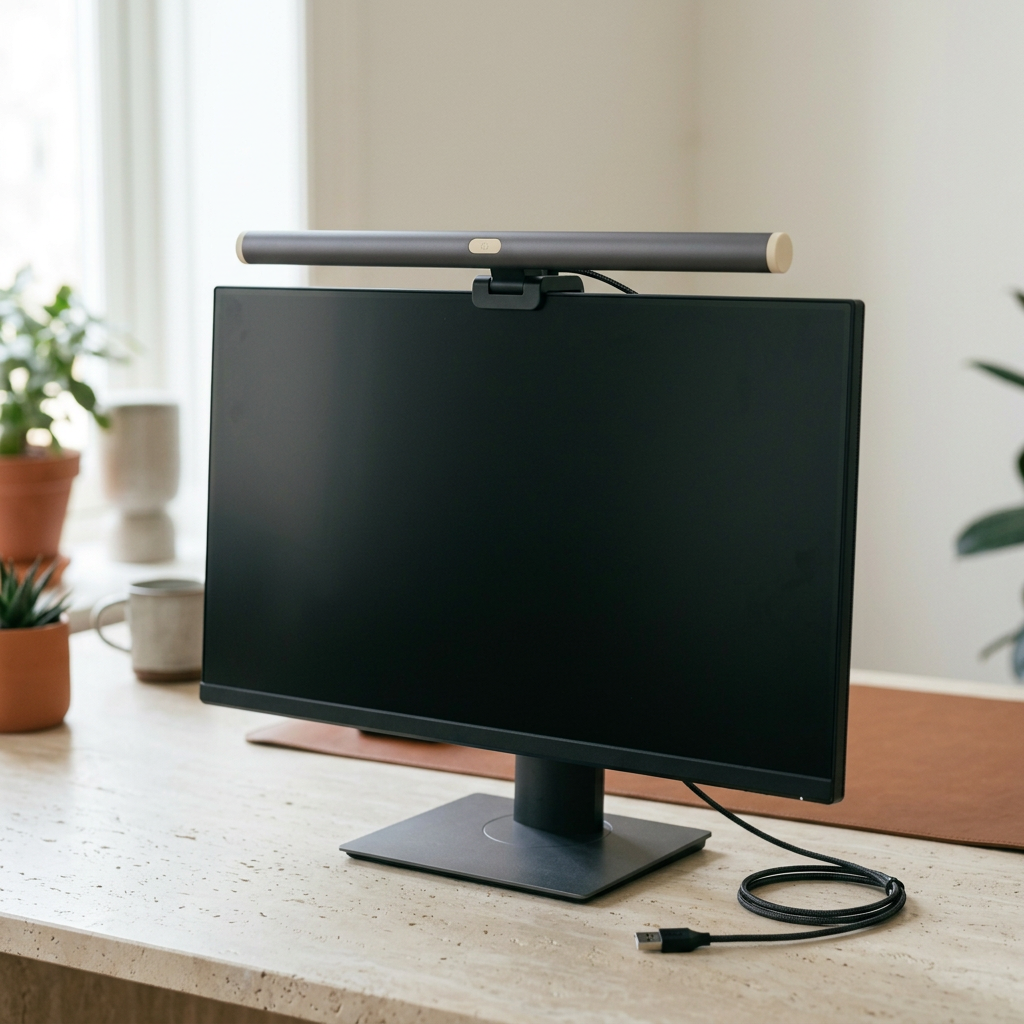
Charcoal USB Monitor Light Bar with Cream End Caps and Central Mount for Organized Home Office Desks and Evening Workspaces
Charcoal USB Monitor Light Bar with Cream End Caps and Central Mount for Organized Home Office Desks and Evening Workspaces
Couldn't load pickup availability
💻 Keep the Work Surface for the Work
A useful desk has room for the things you are doing now. Notes beside the keyboard, a clear area for a book, and cables routed where they do not cross your hands. This charcoal monitor light bar brings a slim horizontal shape to that arrangement, with cream end caps and a central mounting section above the screen.
The dark body connects visually with a plain monitor, while the pale details keep it from disappearing entirely into the equipment. It offers a different look from a traditional desk-lamp base, but the right choice still depends on your monitor, mounting requirements, and the verified lighting specifications.
The Desk Layout Brief
Across the Top
The long cylindrical bar runs horizontally above the display. Cream caps define its ends, and a small pale oval control sits near the center. Check the documented dimensions and operating functions before use. Do not assume adjustable color temperature, dimming levels, a remote, or an ambient sensor from the outside design.
At the Center
A dark clip connects the bar to the monitor area. Confirm the permitted monitor thickness, edge shape, mounting position, and weight limits before fitting it. Thin, curved, unusually shaped, or webcam-equipped displays may require a different arrangement. Do not force a mount onto a screen that is outside the stated compatibility.
Behind the Screen
A black cable routes rearward from the light. Check the required USB power specification and use only compatible power accessories. A USB connection does not establish that any computer port, hub, or adapter can supply the correct power. Arrange the cable so it does not pull on the mount or catch during monitor adjustment.
Build the Setup in the Right Order
Clear the desk and disconnect equipment as directed before installing the mount. Protect the display surface and follow the exact fitting instructions. Do not press on the screen panel or place weight where the monitor manufacturer prohibits it.
Check stability before powering the light. Keep webcams, vents, hinges, and monitor controls unobstructed. If the manual permits angle adjustment, make changes gently within the stated range. Do not assume unlimited rotation or bend a rigid housing.
Light for the Task, Not a Claim
Consider the room lighting as well as the bar. Place notes, paper, and reflective objects where they are comfortable to use in your own setup. Follow the manufacturer’s positioning instructions and avoid staring directly into the light source.
No glare-free result, eye-protection benefit, brightness level, color-rendering value, or reduced fatigue is promised here. Check the actual optical specifications and decide whether they meet your task. If a lighting arrangement feels uncomfortable, adjust or stop using it rather than accepting an unsuitable setup because of a product category name.
A Desk That Changes Through the Day
For a morning planning session, keep a notebook beside the keyboard and put unused objects away. For an evening review, make room for the document you need instead of balancing it over other equipment. Let the layout change with the task while the cable routing remains tidy and secure.
Keep drinks separate from electrical equipment and leave ventilation openings clear. A monitor-mounted accessory should not become a shelf for notes, decorations, or headphones. Give each object a place that supports its intended use.
The End-of-Day Check
Switch off and disconnect according to the instructions before cleaning. Use the approved method for the housing, light surface, mount, and cable. Avoid solvents, moisture near connectors, and pressure on the diffuser or screen. Do not immerse the light or assume a water-resistance rating.
Inspect the mounting contact and cable periodically, especially after moving the monitor. Stop using a damaged or unstable accessory. Remove and store it as directed before transporting equipment, keeping the bar protected from bending and impact.
Before It Joins Your Desk
Review the confirmed bar length, mount compatibility, power requirements, light functions, clearances, and package contents. Monitor, keyboard, desk, computer, and power adapter are not included unless expressly listed.
Charcoal and cream give this light bar a quiet, purposeful appearance. Start with the fit, follow the setup, and leave the rest of the desk ready for the work you actually want to do.

Charcoal USB Monitor Light Bar with Cream End Caps and Central Mount for Organized Home Office Desks and Evening Workspaces